
Author: William Crowell

Developing Accessible LaTeX Documents with the CFE Template

For our faculty who use LaTeX, accessibility can sometimes be an issue. That is why the CFE has made an Accessible LaTeX Template. It is designed to be used in Overleaf, and you can make a copy of the code and use it as the base for whatever documents you need. It contains several features that will be of use in creating accessible and screen-reader-friendly digital documents:

Headings: The headings have been restructured to make the title H1, sections H2, subsections H3, and so on.

Tags: In addition to the heading tags, the document’s preamble turns on all PDF tags necessary for making documents accessible and screen-reader-friendly.

Math: For equations, the template incorporates the latest MathML functionality for LaTeX, which makes equations natively accessible.

Tables: Tables include header rows or columns (at your discretion).

Links: the link color used is a high contrast shade of blue.

In addition, the template contains documentation which discusses the implementation of alt text for images, accessible colors, and lists.

As a side note, all staff and faculty have access to a pro account on Overleaf. To sign in, go to the Overleaf website, select “Log in”, then “Log in with SSO”, and use your MTU login credentials. This will allow you to make your own copy of the template for use on your own documents, as well as provide a stable, portable LaTeX framework.

To learn more about building accessible documents with LaTex, Overleaf published a blog on the topic called Accessible PDFs with LaTeX. It contains information about best practices for accessible documents, for those looking to incorporate them into their documents without a template.

For those who want to make their LaTeX PDFs into an accessible Canvas content page, look forward to our article on UDOIT for a way to do that at the push of a button. This, and UDOIT’s other features will be contained in a write-up featured in our September 23rd newsletter!
A Brief Look at the Accessible Tech Challenge

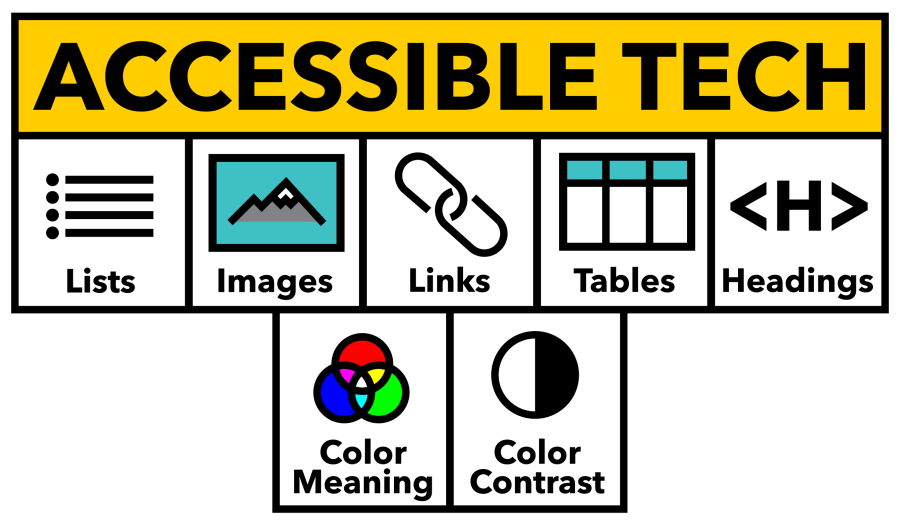
The Accessible Tech Logo

As we return to Michigan Tech for the Spring semester, the Center for Teaching and Learning would like to invite you to our newest program: The Accessible Tech Challenge.

The CTL has been focusing recently on ways to increase accessibility in online courses to ensure that every Husky has the best opportunity possible as they take on new courses. In addition, upcoming changes to the ADA Title II web accessibility rule are making accessibility in online instruction more important than ever before. To help you navigate the challenges of online accessibility and create a community of practice around overcoming these challenges, the CTL has created the Accessible Tech Challenge.

The challenge, simply put, is to get the Ally score of one of your classes above 85% before April 13th, 2026. It can be any course shell, if it is active in the Spring 2026 semester. And what is a challenge without a reward? If you meet that 85% threshold for your course, then you win a Yeti travel mug, branded with the official Accessible Tech Challenge logo. Plus bragging rights, and the satisfaction of knowing that your course is better prepared for all of our students.

From January 15th, through April 1st, we will be hosting a series of events to support you in this challenge. Every 2 weeks we will cover a topic to help you, using our “5+2” roadmap to accessibility. This gives you 2 weeks to address each of these issues at your own pace, and on your own schedule, improving your accessibility without an overwhelming sprint. Please note that attendance to these sessions is not mandatory for participation or winning. All you have to do is sign up and put in the work. These sessions are here to let you share tips with other faculty members, get support from your accessibility experts in the CTL, and to provide a scheduled time to focus on the objectives.

The event schedule is as follows:

  • January 15: Kickoff Lunch and Learn (how to tidy up course shells to improve Ally score, how to view your Ally Accessibility Report, and an introduction to the Challenge).
  • January 28: Headings Working Session
  • February 10: Image Descriptions Working Session
  • February 25: Tables Working Session
  • March 17: Lists and Links Working Session
  • April 1: Color Working Session
  • April 17: CTL Open House (prize handout and come meet with CTL members about your course while you grab a snack!)

You can use our sign-up form to apply for the challenge, and register for the Lunch and Learn via LibCal. We look forward to seeing you there! If you have any questions about the challenge, please reach out to the CTL.