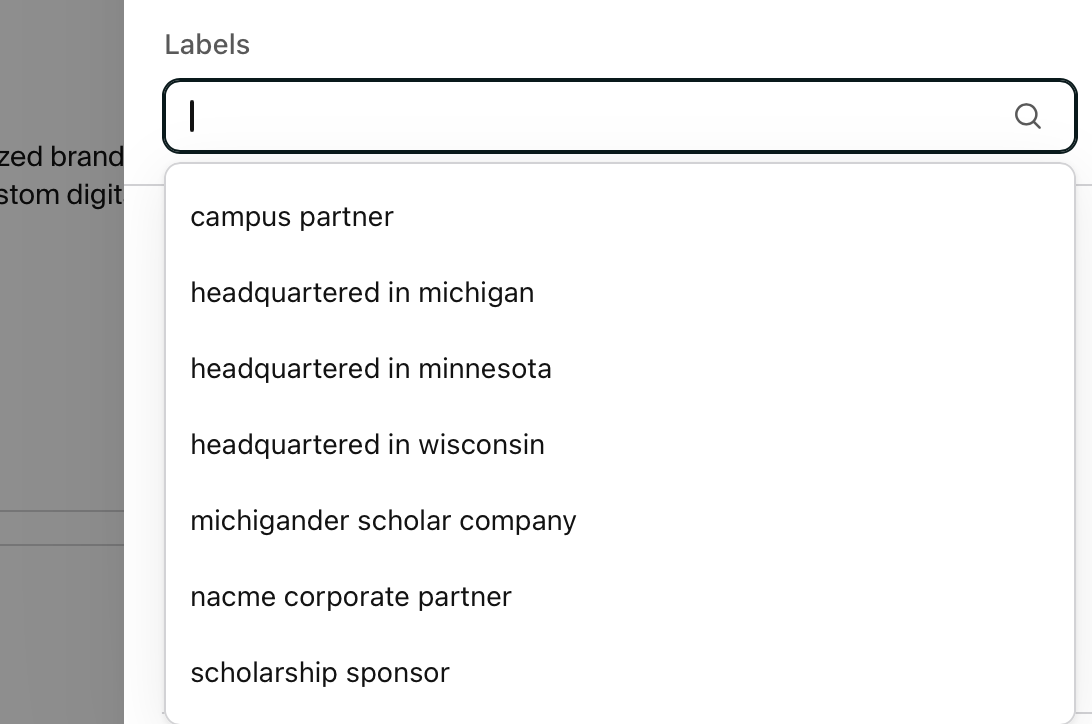
With a long list of attending companies to sort through, finding the right fit can feel overwhelming. While you can easily filter by major and degree, you can also use specialized Labels to target employers with unique opportunities.
How to find these filters in Handshake:
- Navigate to the Career Fair you are attending.
- Click on the Employers list.
- Click the Filters button and scroll down to the Labels section.
By filtering for specific labels, you can instantly narrow your search down to:
- Campus Partner = Companies that support campus through philanthropy
- Headquartered in …. = Companies with corporate headquarters in Michigan, Wisconsin, or Minnesota
- NACME Corporate Partner = Companies that are part of the national NACME program
- Scholarship Sponsor = Companies that fund scholarships on campus