
In order to complete a degree at Michigan Tech, all students must submit a Graduation Application and let the Graduate School know their plans to attend commencement. This post will explain the difference between graduation and commencement and explain how to submit the Graduation Application.
Graduation vs. Commencement: Understanding the Difference
Graduation is the official act of completing all academic requirements and earning your degree. Your actual diploma will be shipped to you approximately six weeks after the semester you complete your degree. You must complete all of your curricular requirements and apply to graduate in order to receive your credential.
Commencement is the celebratory ceremony. It is an opportunity for friends and family to acknowledge your hard work. Students who attend the commencement ceremony receive a diploma cover when they walk across the stage. The Graduate School hosts a single annual commencement ceremony at the close of spring semester. A commencement application is required to participate. You can read more about this later in the blog.
Submit a Graduation Application
To begin, view your academic audit (a VPN connection is required to access the audit) to ensure that all the course and non-course requirements are complete with either a green check, or half-moon in the progress indicator on the left. Your advisor, graduate program assistant, or our Student Guide will help answer your questions.
The deadline to submit a Graduation Application is Friday of Week 5.
Locate the requirement titled Graduation Application

Click the link (blue text) which will take you to Experience. Search for the card titled: Prepare to Graduate.
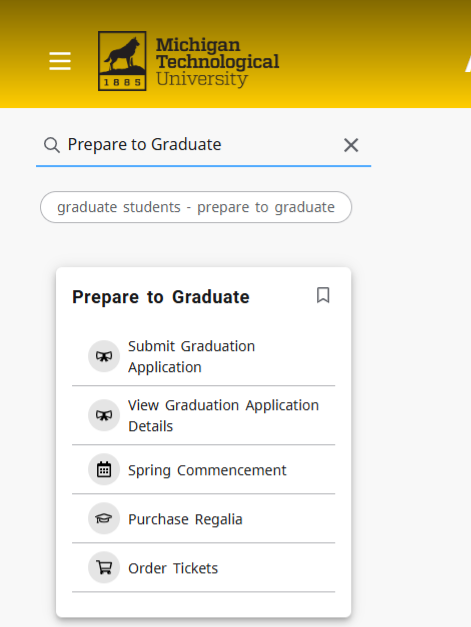
Click on Submit Graduation Application and select the credential that you are completing. If you are earning more than one certificate or degree, you will need to submit a graduation application for each one.
Graduation Date: Select the term that you will complete your degree or certificate requirements. (Do not select your commencement term here, that will come later.)
- You may need to advance to page 2 to see your graduation term (e.g. 202508 (Fall 2025) or 202601 (Spring 2026)).
- If your plans change, you can update your Expected Graduation term on your Degree Progress Checklist.
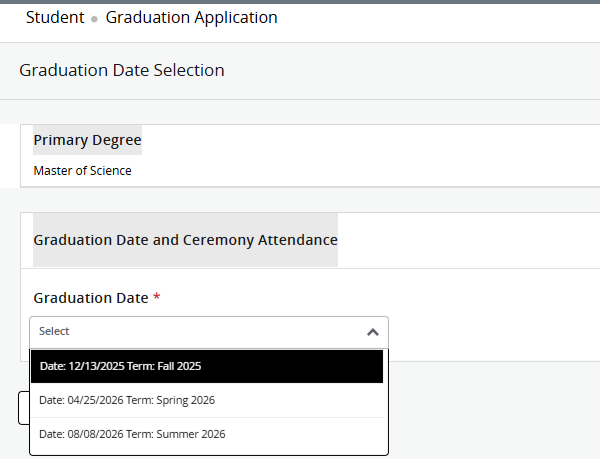
Continue to Page 2.
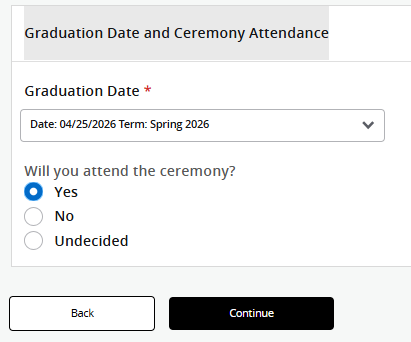
Ceremony Attendance: The Graduate School hosts a single ceremony at the close of spring semester. Answer the question “Will you attend the ceremony?” with your choice. If your plans change, email gradschool@mtu.edu.
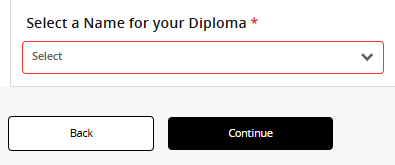
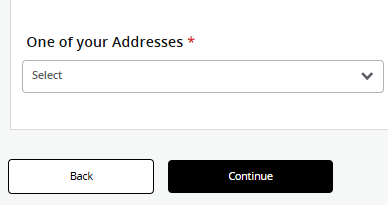
Complete the name and address fields and submit your application.
Return to your Academic Audit and click the refresh button above your student M number so the latest, most accurate information, appears in your audit.
Verify that the Graduation Application is marked as complete. If it is not, please contact the Graduate School for assistance.

Your audit will include information about commencement and a link to the Commencement Application if you indicated that you will attend the commencement ceremony. See our Commencement Application blog post for more information.