
Category: Career Fair

Information about Career Fair and related activities.

Additional Methods for Searching the Fair for Employers

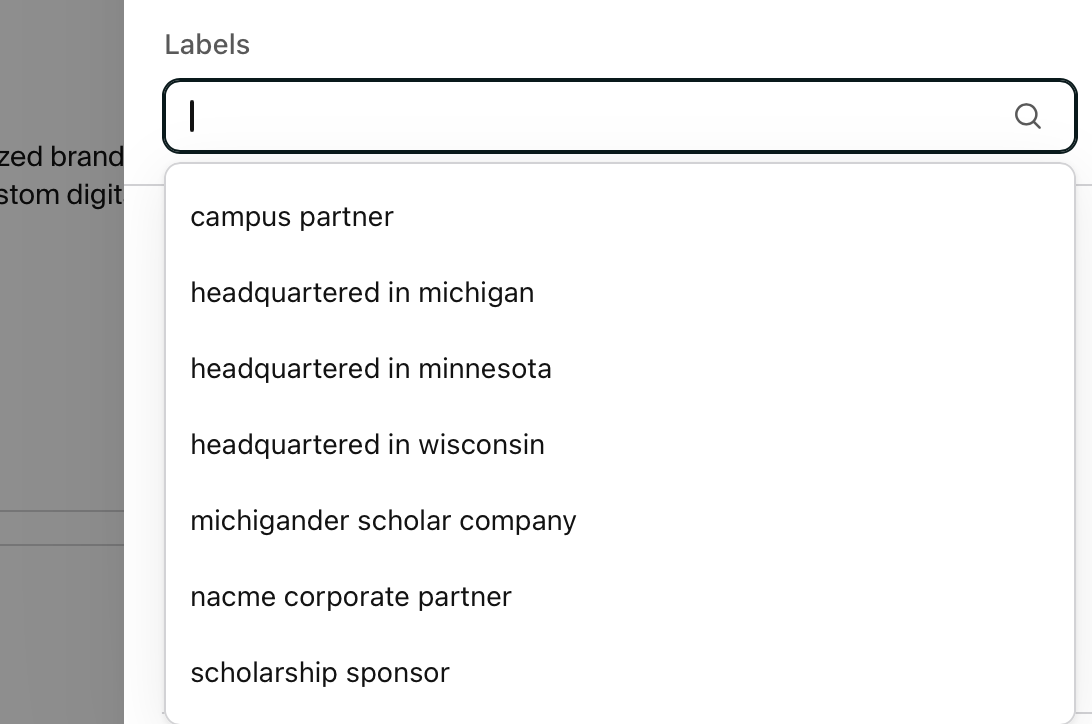
With a long list of attending companies to sort through, finding the right fit can feel overwhelming. While you can easily filter by major and degree, you can also use specialized Labels to target employers with unique opportunities.

How to find these filters in Handshake:

  1. Navigate to the Career Fair you are attending.
  2. Click on the Employers list.
  3. Click the Filters button and scroll down to the Labels section.

By filtering for specific labels, you can instantly narrow your search down to:

  • Campus Partner = Companies that support campus through philanthropy
  • Headquartered in …. = Companies with corporate headquarters in Michigan, Wisconsin, or Minnesota
  • NACME Corporate Partner = Companies that are part of the national NACME program
  • Scholarship Sponsor = Companies that fund scholarships on campus
Tips To Get Ready For Career Fair

Hello from Career Services! We are so excited to kick off the Fall 2025 Career Fair — and we know that many of you are anxiously awaiting the chance to speak with more than 350 employers. With just a week to go, we have compiled some tips to help you minimize your stress and maximize your opportunities.

Download Handshake and Set Up Your Profile

Don’t wait until you get to the Career Fair — download Handshake ahead of time! You’ll need the app to find the latest information about the companies at the fair.

Companies want to be able to find candidates by searching through Handshake, too! Make sure your profile makes it easy for them to find you.

  • First, learn more about building a public Handshake profile.
  • Next, optimize your resume. Career Services is happy to help with this — don’t forget to share your resume with us once you have it done.
  • Upload your final resume to your Handshake profile and make it public