All of us in the Graduate School are excited to assist you and help you succeed. Please check your email regularly for updates from the Graduate School. Be sure to visit the Graduate School Blog for updates, news, and funding opportunities.
Michigan Tech Experience
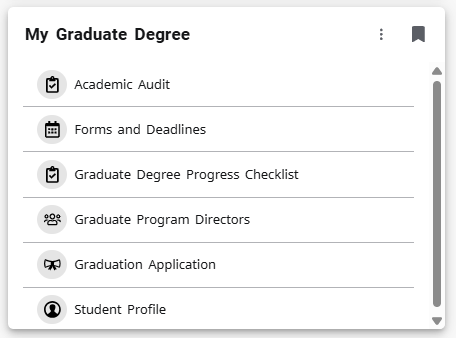
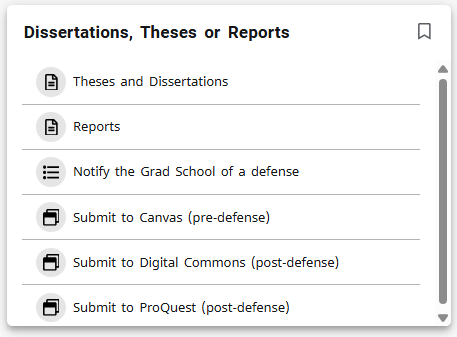
As the semester is quickly coming to a close, we encourage you to explore and bookmark the Experience page and make sure to save the “My Graduate Degree” card to your homepage (shown at right) for easy access and the “Dissertations, Theses or Report” card if you’re completing a research-based degree.
Things you will find on Experience:
- Registration and Class Details
- Forms and Deadlines
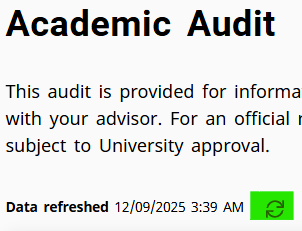
- Academic Audit
- Hold Information
- Billing Information
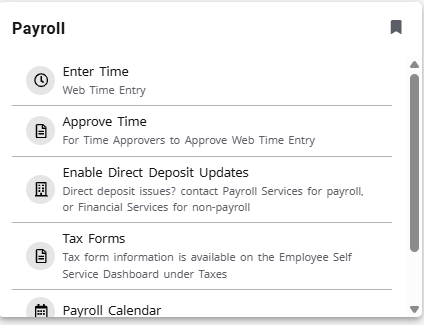
- Payroll and Direct Deposit Information
Make sure to bookmark your Degree Progress Checklist (or use the My Graduate Degree card in Experience to find it). It provides a helpful list of resources to support you as you complete your graduate degree.
Additional Resources
April Important Deadlines:
| Deadline Date | Description |
|---|---|
| April 13, 2026 | – Last day to submit committee-approved post-defense dissertation, thesis, or report to the Graduate School for spring completion of degree. |
| April 13, 2026 |
– Submit all other degree completion paperwork (including applicable certificate degree schedules) to Graduate School—check your Degree Progress Checklist for items needed. – Submit petition to enter candidacy to be eligible for candidacy for the next semester. |
| April 20, 2026 | Deadline for KCP Future Faculty Fellowship applications. |
| April 29, 2026 | Grace period for deadline for thesis, dissertation, or report. |
Upcoming Events
Undergraduate Research & Scholarship Symposium
The Undergraduate Research & Scholarship Symposium will take place on Friday, March 27, 2026, from 1-3:30 p.m. in the Rozsa Center. This event showcases student-led research across disciplines and offers a great opportunity to explore innovative projects and engage with presenters. Graduate students are encouraged to attend to connect with undergraduate researchers in their areas of interest. Registration information will be available soon.
Let’s Talk with Student Mental Health and Well-Being
Stop by on Monday, April 6, 2026, from 1–3 p.m. in the Academic Office Building, Room 101 for a free, informal, and confidential conversation with an MTU counselor. This is a great opportunity to talk through any concerns, get support, or learn more about available mental health resources. All students are welcome.
Math Sciences Seminar Series – Brian Hopkins
Join the Math Sciences Seminar Series featuring Brian Hopkins on Friday, April 10, 2026, from 1-2 p.m. in Fisher Hall, Room 133. This seminar offers an opportunity to explore current topics and research in mathematics. All are welcome to attend.
Graduate Student Commencement Rehearsal
Graduating students are encouraged to attend the commencement rehearsal on Thursday, April 23, 2026, from 1–2 p.m. in the Multipurpose Room of the Student Development Complex (SDC). Please plan to arrive by 12:45 p.m. to prepare for the ceremony.
Graduate Student Commencement Ceremony The graduate student commencement ceremony is on Friday, April 24, 2026, at 3:00 p.m. in the John J. MacInnes Student Ice Arena of the Student Development Complex (SDC). Live streaming is available beginning on the morning of the ceremony.
Local Events
For ideas on how to spend your free time, be sure to check out the Local Area Events Calendar, there’s something for everyone. Check out the Rozsa website for on-campus events. To explore additional seminars, workshops, and Graduate School sponsored events, visit the MTU Events Calendar. This calendar highlights upcoming opportunities across campus, making it easy to stay informed and engaged throughout the semester!
Beyond the Classroom
The Graduate Student Government (GSG) is your key to connecting with the grad student community. They organize tons of activities, from professional development workshops and the Graduate Research Colloquium to social events and mixers. Getting involved with the GSG is a fantastic way to meet people from different departments, share your ideas, and help shape a fun and supportive campus environment. To find out about upcoming events or to learn how you can participate, check out their website.
Have any questions? Please reach out to the Graduate School anytime via email: gradschool@mtu.edu, phone: (906) 487-2327, or visit us in the Admin Building on the 4th floor.
Stay Informed
Keep up with campus updates all semester:
- News from the Dean
- Student Scoop – Weekly student events
- Tech Today – Daily University news
- University Events Calendar – Sync it to your Google Calendar