
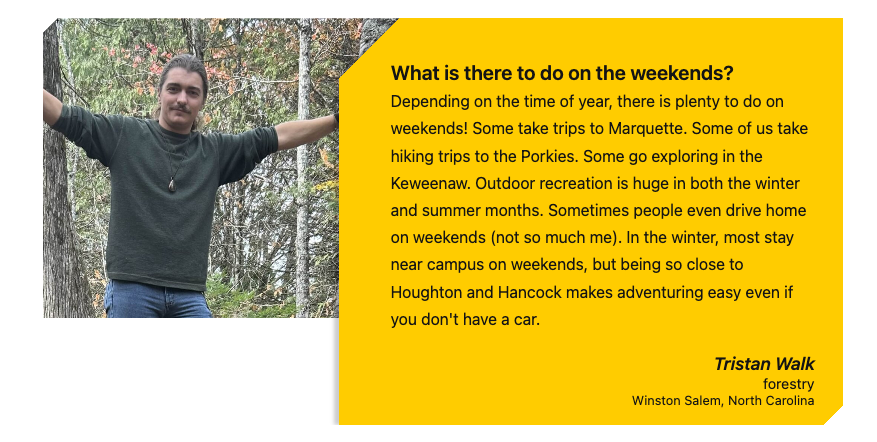
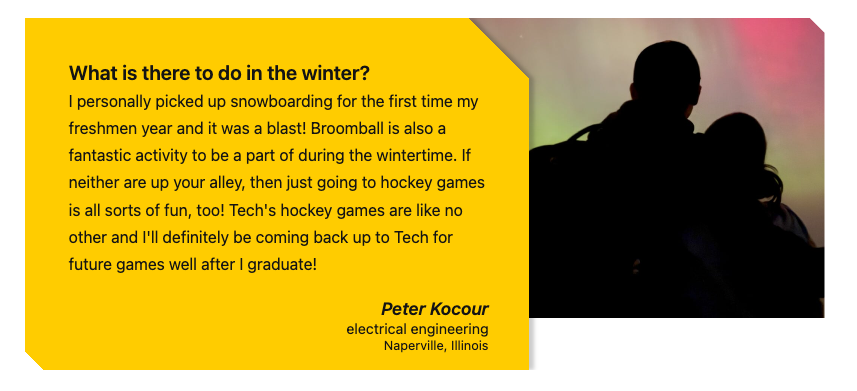
This snippet allows you to create a styled testimonial quote with a photo. The photo can go on the right or the left of the gold box.
View a named testimonial in the Style Guide.
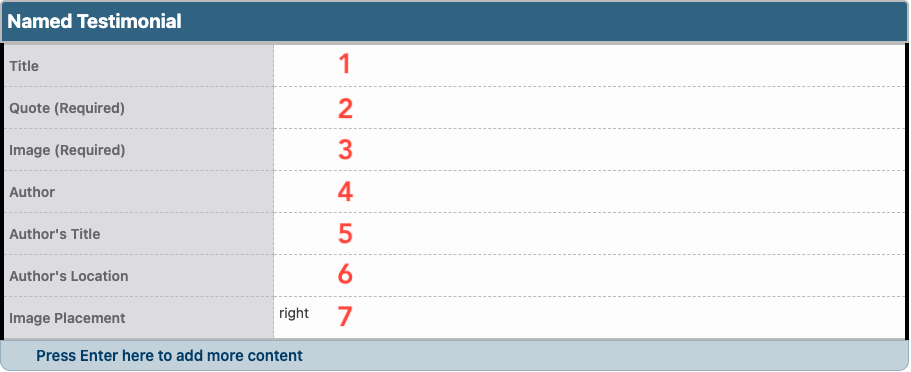
- Title: Enter the title that will appear above the quote. This field is optional.
- Quote (Required): Enter the quote text.
- Image (Required): Use the Image Editor to crop a Card image type and insert the largest size created.
- Do not link the image.
- If no image or something other than a card is inserted, the named testimonial will not appear on the page.
- Depending on the Image Placement you select, the gold box will cover part of one side of the image, so it is best to have the focus slightly off-center.
- Author: Enter the name of the quoted person. This field is optional.
- Author’s Title: Enter the title of the quoted person. This field is optional.
- Author’s Location: Enter the location of the quoted person. This field is optional.
- Image Placement: Select the location of the image: to the right or left of the gold box.