Search Results for "thesis and dissertations acrobat tips"

Library Matters: Upcoming November Workshops

The Van Pelt and Opie Library is offering three workshops in November.

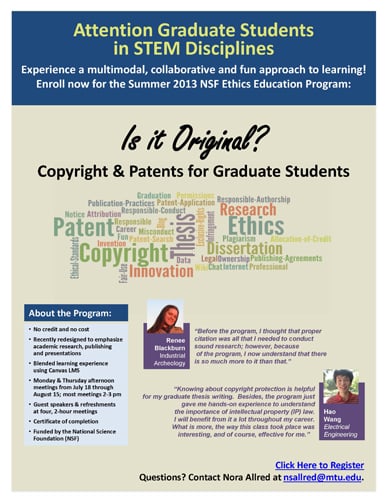
Basic Patent Searching
Wednesday, Nov. 13, 5:30-7 p.m.
This workshop will cover basic patent searching in the USPTO website database using the recommended “Seven Step Strategy.” We will discuss why keyword searching of patents must be supplemented with a classification search; how to identify relevant patent classes and search within them; and how to cross-reference related classes.
Click here to register.

Advanced Patent Searching
Tuesday, Nov. 19, 5:30-7 p.m.
This workshop will cover other database options aside from the USPTO website to search for patents, including patents issued in countries other than the US. We will explore Espacenet, PatentScope and Google Patents; and discuss some advanced searching strategies.
Click here to register.

Citation Searching for Faculty and Graduate Students
Thursday, Nov. 14, 12-1 p.m.
This workshop will demonstrate finding articles that cite your articles in a variety of databases that the library offers. We will also discuss methods of estimating impact factor.
Click here to register.

If you have any questions, please contact Sarah Lucchesi at slucches@mtu.edu or 7-3379.

Published in Tech Today

EndNote Workshop in the Library

The library is hosting an EndNote workshop Wednesday from 4:30 to 6:30 p.m. in Library 242.

Use EndNote software to manage your citations and save time. In this session, you will learn how to add references to an EndNote library, import references from databases and PDFs, organize your citations and use the Cite While You Write tool to incorporate references into Microsoft Word.

No prior knowledge of EndNote is required for this workshop.

Register here.

GSG hosting Graduate Research Colloquium – Feb 19, 2014

Graduate Student Government is hosting our annual Graduate Research Colloquium on February 19th and 20th, 2014

What is the Graduate Research Colloquium (GRC) & where do I go for more info?
Each spring, GSG sponsors the Graduate Research Colloquium Poster & Presentation Competition. The GRC is a unique opportunity to share your research with the University community and to gain experience in presenting that research to colleagues.

Who can participate?
All graduate students are highly encouraged to participate by presenting their research in an oral presentation or creating a poster detailing their research. You can even do both!

Why should I participate?
The GRC provides graduate students a great opportunity to practice their oral or poster presentations in a friendly environment before presenting at a major conference. These presentations will help you to gain valuable feedback from judges and other audience members that can benefit your research. The GRC is also a great way to network and learn about other research that is being done on campus. Plus, cash prizes are available for the 1st, 2nd, and 3rd place speakers in both the poster and oral presentation sessions.

How do I submit an abstract?
We’ve made it even easier for you to participate this year! You can now submit your abstract for both a poster and oral presentation on our online submission website.

The submission deadline is Friday, November 22nd, at 11:59 PM.


EndNote Workshop at the Van Pelt and Opie Library

Learn how EndNote can help you easily create and manage bibliographic information and incorporate references into your writing. EndNote also offers a relatively easy way for faculty to upload citations into Digital Measures.

This combined EndNote Basic and Cite While You Write workshop will be held from 5:05 to 6:30 p.m. Thursday (Nov. 9) in Library 242.

During the session, we will cover how to create and build an EndNote “library,” add references from online databases and PDFs, and organization best practices. Incorporating references into a Microsoft Word document and changing output styles will also be covered.

Registration for the workshop is required. Register for the EndNote Basic and Cite While You Write workshop.

The Library 242 instruction room has EndNote X8 installed on Windows workstations. Attendees may bring their own laptops with EndNote X8 downloaded prior to the session. Visit the library’s EndNote Guide to download the software and get a sneak peek at what EndNote can do for you. Email library@mtu.edu with any questions.

Tech Gives Minnesota Communities’ History Back to Them

A PhD candidate in Industrial Heritage and Archaeology at Michigan Tech has given the residents of Minnesota’s Cuyuna Range a unique gift–a glimpse into the history of their own communities. Fred Sutherland is researching the history of the Cuyuna Range, an iron mining region between Brainerd and Aitkin, Minn., for his PhD dissertation. Earlier this month, he presented a summary of findings from a survey of nearly 900 historic buildings and sites along the Cuyuna Range.

New Form for all Graduate Students

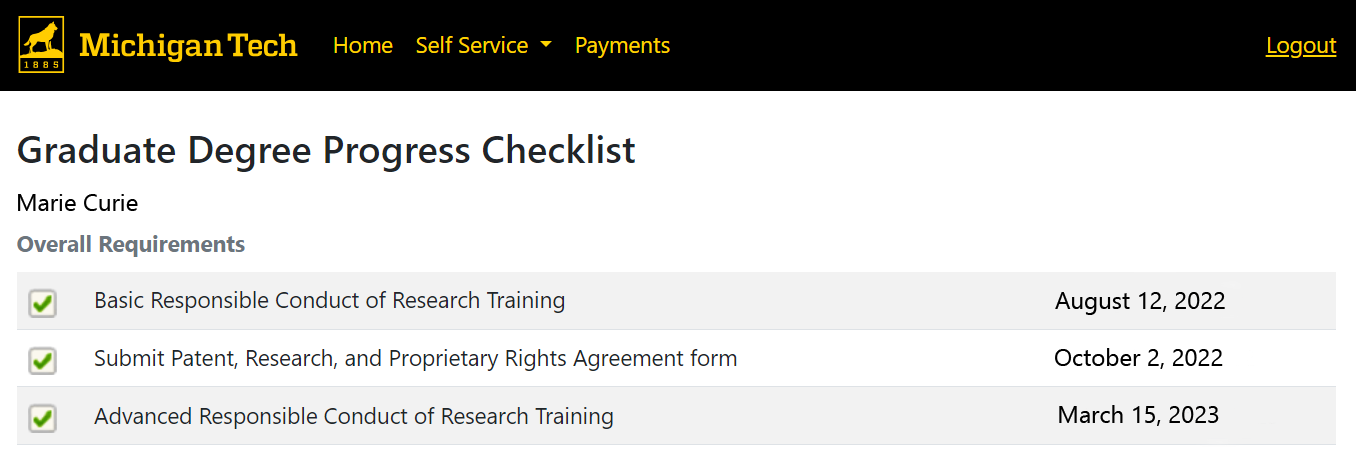
The Graduate School is pleased to announce the introduction of the Degree completion form.  All graduate students will be required to complete this form in their final semester.  Effective immediately, this replaces the Life after Michigan Tech and TD-Bindery forms, which will reduce the number of forms most students complete.  The new form also incorporates dynamic features which will make it easier to complete, and reflects changes made by the bindery for charging of binding fees.

Additionally, we are pleased to announce that online payment of binding fees is now available.

In support of these procedural changes, we will host a seminar on November 17th at 4:05pm to introduce the form and online payment system to interested students, faculty, and staff.  Please register online so we can plan for your attendance.  Your confirmation e-mail will have the location of the seminar.

How to apply a style to a paragraph

Styles in Word are used to format text consistently throughout your document. Each paragraph may have a single style applied to it.  For each paragraph, styles define the:

  • Appearance of the text (bold, bulleted, size, font, etc.)
  • Behavior of the paragraph (does it stay with the next paragraph?  Have a page break before it?)
  • Structure of the document (is this a heading meant for the table of contents?)

Styles are found on the Home tab of Word, in the Styles section (boxed in the figure below).

The Styles section on the Home tab contains all of the built in styles available for use.

Thanksgiving break and computer maintenance

The University is closed on Thursday,  November 28th and Friday, November 29th.  When the University is closed, the “two week” rule for submitting drafts is relaxed to the next available business day.  The Graduate School does not expect students to submit drafts to the committee or the Graduate School when the University is closed (but the Pre-defense form will still calculate these dates as the “due” dates).

  • Students scheduling a defense on December 12th or 13th may submit the draft no later than 4pm on Monday, December 2nd.
  • Of course, submitting earlier is always fine.

Additionally, the University is scheduling campus wide home directory maintenance from Thursday Nov. 28, 7 p.m., through Sunday Dec. 1, 11 p.m. During this time:

  • No one will be able to use a campus computer (like one in the Library, or an office)
  • No one will be able to access their campus home directory or the Multidrive
  • Everyone will be able to use the wireless network on campus with a personal laptop
  • Everyone will be able to log into Canvas or other campus sites (like MyMichiganTech.mtu.edu)

To track progress during the upgrade please visit http://status.it.mtu.edu.

If you have any comments, questions, or concerns, about the planned upgrade, please call the User Services help desk at 487-1111 or email it-help@mtu.edu for assistance.